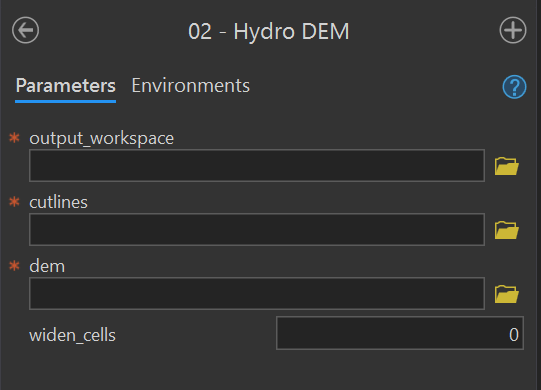
| Parameter | Type | Description | Required |
|---|---|---|---|
| output_workspace | Workspace | Path to the output workspace. | required |
| cutlines | Feature Class | Path to the cutlines feature class. |
required |
| dem | Raster Dataset | Path to the digital elevation model (DEM). | required |
| widen_cells | long | Number of cells to widen the cutline by. | optional |
7 Toolbox
This chapter describes the FluvialGeomorph toolbox structure and the products it creates. This chapter begins with a description of the platforms used, the structure of the FluvialGeomorph ArcGIS toolbox and concludes with a description of the products created.
Platforms
The FluvialGeomorph toolbox uses ESRI and open source software to combine several platforms, each chosen based on their strengths, to construct a custom toolbox for rapid fluvial geomorphology analysis.
- ArcGIS Pro -ArcGIS Pro is industry standard enterprise desktop GIS products for conducting geospatial analysis. The ArcGIS Pro applications contain an enormous number of commercial-off-the shelf (COTS) geospatial tools for performing sophisticated analyses and visualization.
- ArcGIS toolbox - ArcGIS Desktop allows for the creation of sophisticated custom geospatial toolboxes to be built that combine ESRI’s COTS geoprocessing tools with user created tools from several platforms (e.g., Python, R).
- Python - ArcGIS provides a robust scripting interface to its GIS tools using the Python language. Custom geospatial toolboxes can combine ESRI’s COTS geoprocessing tools with tools available within the diverse, mature, and ever-growing Python data science ecosystem.
- R - ESRI’s ArcGIS R-bridge product allows R tools to be called within the ArcGIS toolbox interface. This allows ArcGIS tools to take advantage of the mature ecosystem of R data science, statistical, visualization, and report generation packages.
Packages
The FluvialGeomorph toolbox is composed of a set of tightly connected packages that work together to complete the analysis. Modular design was a conscious architectural decision made to take advantage of the best tools and to help support long-term maintenance. Links are provided below to each package’s online code repository.
- The
FluvialGeomorphtoolbox - This is the primary user-facing software component. It is an ArcGIS toolbox organized as a Python package. The custom Python tools in this toolbox perform primarily geospatial operations, where the ESRI platform excels (e.g., linear referencing). It also performs the installation of the needed R packages. - The
fluvgeoR package - This custom R package developed for this project contains the bulk of the data science, statistical, visualization, and reporting functions, where the R platform excels. - The
RegionalCurveR package - This custom R package developed for this project contains the data and functions for accessing regional hydraulic geometry studies.
ArcGIS Toolbox
The FluvialGeomorph toolbox contains a set of tools for analyzing streams. These tools are divided into four toolsets.
Install toolset
The purpose of this toolset is to hold the tools needed to install and troubleshoot the FluvialGeomorph toolbox software components.
Install R Packages
Purpose - This tool installs the R packages required by the FluvialGeomorph toolbox using these instructions in the user manual. This tool also sets several configuration settings.
Code - This ArcGIS script tool calls the R script FluvialGeomorph-toolbox/install/Install_FG_R.R.
R Session Info
Purpose - This tool provides the output of the current R session. This is helpful for troubleshooting R environment issues during installation.
Code - This ArcGIS script tool calls the R script FluvialGeomorph-toolbox/install/session.R.
Levels toolset
The purpose of this toolset is to hold the tools that perform the FluvialGeomorph analysis.
Hydro DEM
Purpose - This tool “burns” (sets the elevation to the same value for all pixels along the extent of the polyline feature) a cutlines feature class into the supplied DEM and creates the dem_hydro in the output workspace using these instructions in the user manual. See this section for a detailed discussion of why hydro modification is required.
Code - This ArcGIS script tool calls the Python script FluvialGeomorph-toolbox/tools/_02_HydroDEM.py.
Parameters - This tool contains the following parameters:
Flowline
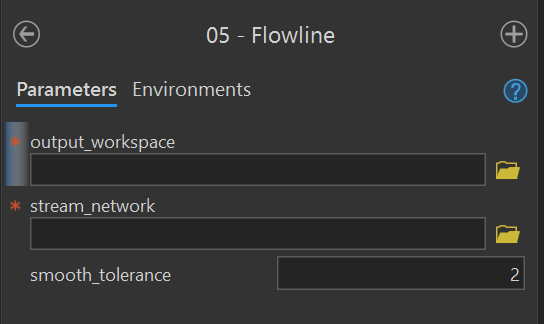
Purpose - This tool creates a flowline feature class in the output workspace using these instructions from the user manual. This tool uses an edited stream_network feature class to derive the flowline.
Code - This ArcGIS script tool calls the Python script FluvialGeomorph-toolbox/tools/_05_Flowline.py.
Parameters - This tool contains the following parameters:
| Parameter | Type | Description | Required |
|---|---|---|---|
| output_workspace | Workspace | Path to the output workspace. | required |
| stream_network | Feature Class | Path to the edited stream_network feature class. |
required |
| smooth_tolerance | long | The PAEK smoothing tolerance that controls the calculating of new vertices. Acceptable smoothing occurs with values between 2 - 5. | required |
Flowline Points
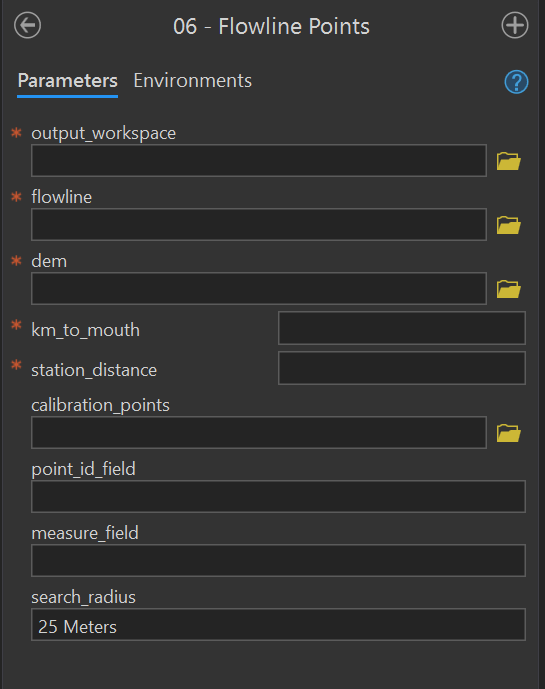
Purpose - This tool creates a flowline_points feature class in the output workspace using these instructions from the user manual. This tool converts a stream flowline feature class to a route and begins the stationing using the km_to_mouth parameter. This tool can optionally calibrate the output flowline_points using a point feature class.
Code - This ArcGIS script tool calls the Python script FluvialGeomorph-toolbox/tools/_06_FlowlinePoints.py.
Parameters - This tool contains the following parameters:
| Parameter | Type | Description | Required |
|---|---|---|---|
| output_workspace | Workspace | Path to the output workspace. | required |
| flowline | Feature Class | Path to the flowline feature class. |
required |
| dem | Raster Dataset | Path to the digital elevation model (DEM). | required |
| km_to_mouth | double | Kilometers to the mouth of the study area outlet. | required |
| station_distance | double | Distance between output flowline station points (in the linear units of the flowline feature class). | required |
| calibration_points | Feature Class | A point feature class used to calibrate the output flowline_points. |
optional |
| point_ID_field | Field | The field that identifies the route on which each calibration point is located.The values in this field match those in the route identifier field. This field can be numeric or character. If using a flowline_points feature class, the id_field is “ReachName”. | optional |
| measure_field | Field | The field containing the measure value for each calibration point. This field must be numeric. If using a flowline_points feature class, the measure_field is “POINT_M”. | optional |
| search_radius | string | Limits how far a calibration point can be from a route by specifying the distance and its unit of measure (e.g., “25 Meters”). If the units of measure are not specified, the same units as the coordinate system of the route feature class will be used. | optional |
Relative Elevation Model
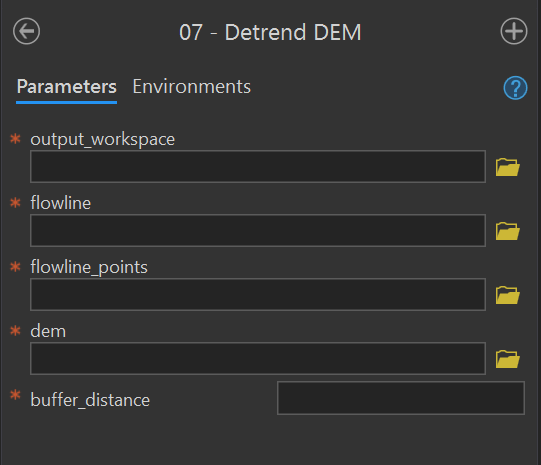
This tool creates the REM raster using these instructions from the user manual. This tool uses flowline_points to remove the elevation trend from the stream reach. See this section for a detailed discussion on detrended DEMs.
Code - This ArcGIS script tool calls the Python script FluvialGeomorph-toolbox/tools/_07_DetrendDEM.py.
Parameters - This tool contains the following parameters:
| Parameter | Type | Description | Required |
|---|---|---|---|
| output_workspace | Workspace | Path to the output workspace. | required |
| flowline | Feature Class | Path to the flowline feature class. |
required |
| flowline_points | Feature Class | Path to the flowline_points feature class. |
required |
| dem | Raster Dataset | Path to the digital elevation model (DEM). | required |
| buffer distance | double | Distance the flowline_points feature class will be buffered to define the extent of the output detrended DEM. Units are defined by the coordinate system of the DEM. |
required |
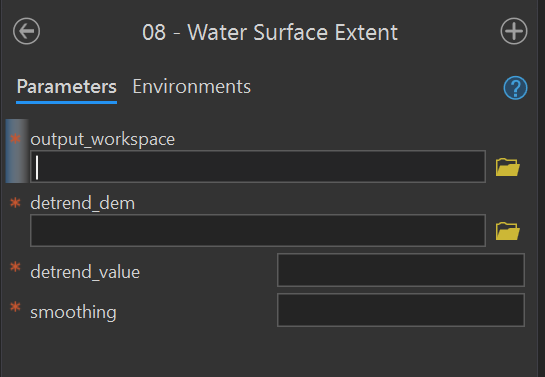
Water Surface Extent
Purpose - This tool creates the banks_raw polygon feature class using these Level 1 instructions from the user manual and these instructions for Level 2.
Code - This ArcGIS script tool calls the Python script FluvialGeomorph-toolbox/tools/_08_WaterSurfaceExtent.py.
Parameters - This tool contains the following parameters:
| Parameter | Type | Description | Required |
|---|---|---|---|
| output_workspace | Workspace | Path to the output workspace. | required |
| detrend_dem | Raster Dataset | Path to the detrended digital elevation model (DEM). | required |
| detrend_value | double | Detrended elevation value used to define the innundated area. All raster values below this value will be extracted to a polygon. | required |
| smoothing | double | Smoothing factor (0, no smoothing - 5, high smoothing) | required |
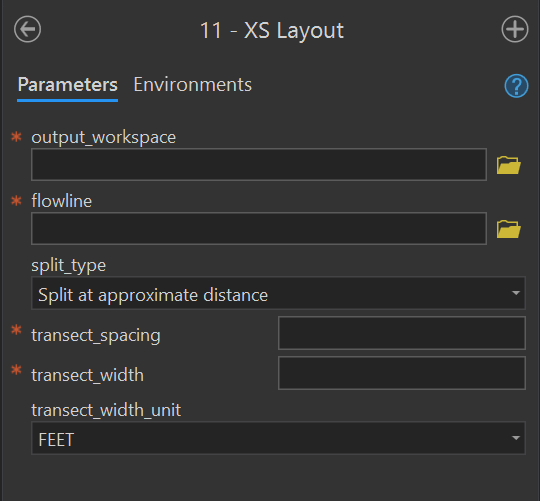
XS Layout
Purpose - This tool creates the xs_* polyline feature class using these instructions from the user manual. This tool creates a set of regularly spaced cross sections along the input flowline at the specified longitudinal spacing and lateral width. The output feature class is named xs_<transect_spacing>_<transect_width>.
Code - This ArcGIS script tool calls the Python script FluvialGeomorph-toolbox/tools/_11_XSLayout.py.
Parameters - This tool contains the following parameters:
| Parameter | Type | Description | Required |
|---|---|---|---|
| output_workspace | Workspace | Path to the output workspace. | required |
| flowline | Feature Class | Path to the flowline feature class. |
required |
| split_type | string | Method for placing cross sections along the flowline. “Split at approximate distance” places cross sections along the flowline at the value of transect_spacing. “Split at vertices” places cross sections at the nearest existing flowline vertex. | required |
| transect_spacing | double | The distance between cross sections as measured along the flowline. Uses units of the input flowline. | required |
| transect_width | double | The width of the cross section as measured from the flowline to its furthest outside point. Therefore, a value of 50 ft for transect_width will result in a cross section with an overall width of 100 ft (50 ft on the right descending bank and 50 ft on the left descending bank). | required |
| transect_width_unit | string | The unit of the transect_width. | required |
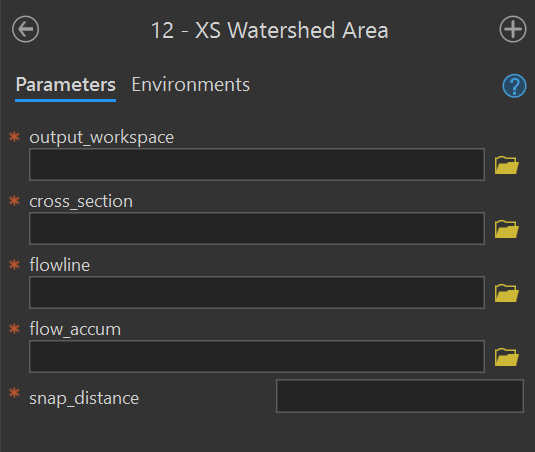
XS Watershed Area
Purpose - This tool adds or updates the field Watershed_Area_SqMile to the input cross section feature class using these instructions for Level 1 and Level 2 from the user manual. This field records the upstream drainage area for the cross section.
Code - This ArcGIS script tool calls the Python script FluvialGeomorph-toolbox/tools/_12_XSWatershedArea.py.
Parameters - This tool contains the following parameters:
| Parameter | Type | Description | Required |
|---|---|---|---|
| output_workspace | Workspace | Path to the output workspace. | required |
| cross_section | Feature Class | Path to the cross section line feature class. | required |
| flowline | Feature Class | Path to the flowline feature class. |
required |
| flow_accum | Raster Dataset | Path to the flow accumulation model. | required |
| snap_distance | double | The distance the point will be snapped to find the cell of highest flow accumulation. | required |
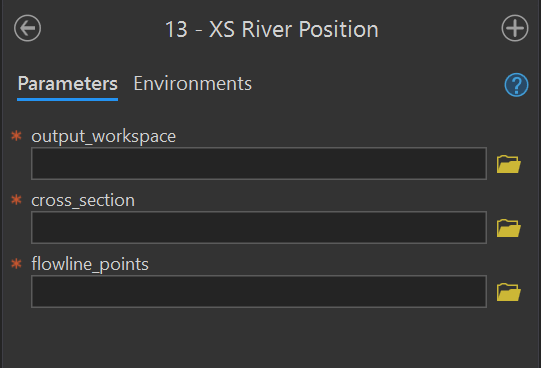
XS River Position
Purpose - This tool adds or updates the field km_to_mouth to the input cross section feature class using these instructions for Level 1 and Level 2 from the user manual. This field records the distance of the cross section from the mouth of the site.
Code - This ArcGIS script tool calls the Python script FluvialGeomorph-toolbox/blob/_13_XSRiverPosition.py.
Parameters - This tool contains the following parameters:
| Parameter | Type | Description | Required |
|---|---|---|---|
| output_workspace | Workspace | Path to the output workspace. | required |
| cross_section | Feature Class | Path to the cross section line feature class. | required |
| flowline_points | Feature Class | Path to the flowline_points feature class. |
required |
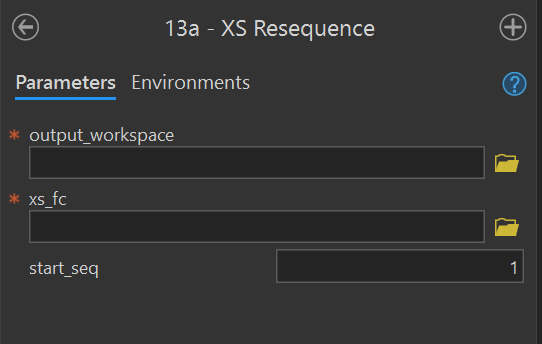
XS Resequence
Purpose - This tools reorders the values of the Seq field for the input cross section feature class using these instructions from the user manual.
Code - This ArcGIS script tool calls the Python script FluvialGeomorph-toolbox/tools/_13a_XSResequence.py.
Parameters - This tool contains the following parameters:
| Parameter | Type | Description | Required |
|---|---|---|---|
| output_workspace | Workspace | Path to the output workspace. | required |
| xs_fc | Feature Class | Path to a cross section feature class. | required |
| start_seq | long | The starting value of the Seq field. |
required |
XS Points
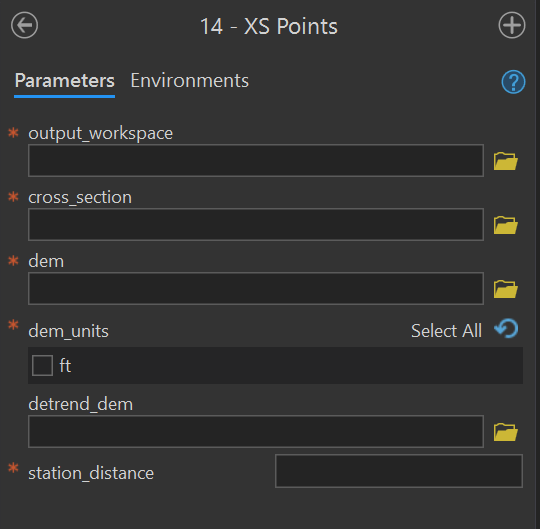
Purpose - This tool creates the *_points points feature class using the these instructions for Level 1 and Level 2 from the user manual. This tool converts a cross section polyline feature class (i.e., xs_*, riffle_floodplain, riffle_channel) into a series of points stationed at the station_distance along the input cross section. The name of the input cross section prepended to the output feature class: <cross_section name>_points.
Code - This ArcGIS script tool calls the Python script FluvialGeomorph-toolbox/tools/_14_XSPoints.py.
Parameters - This tool contains the following parameters:
| Parameter | Type | Description | Required |
|---|---|---|---|
| output_workspace | Workspace | Path to the output workspace. | required |
| cross_section | Feature Class | Path to the cross section line feature class. | required |
| dem | Raster Dataset | Path to the digital elevation model (DEM). | required |
| dem_units | string | Vertical units of the DEM. Select one of “m” or “ft”. | required |
| detrend_dem | Raster Dataset | Path to the detrended digital elevation model (DEM). | required |
| station_distance | double | Distance between output flowline station points (in the linear units of the flowline feature class). | required |
Bankline Points
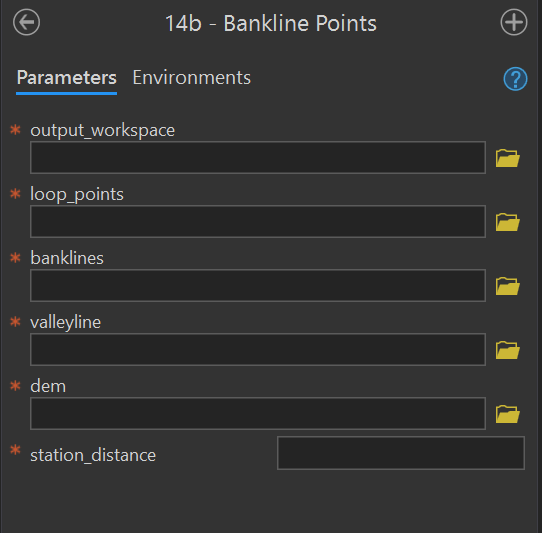
Purpose - This tool creates the bankline_points using these instructions in the user manual. This tool uses the loop_points and valleyline that the analyst manually created in previous steps.
Code - This ArcGIS script tool calls the Python script FluvialGeomorph-toolbox/tools/_14b_BanklinePoints.py
Parameters - This tool contains the following parameters:
| Parameter | Type | Description | Required |
|---|---|---|---|
| output_workspace | Workspace | Path to the output workspace. | required |
| loop_points | Feature Class | Path to the loop_points feature class. |
required |
| banklines | Feature Class | Path to the banklines feature class. |
required |
| valleyline | Feature Class | Path to the valleyline feature class. |
required |
| dem | Raster Dataset | Path to the digital elevation model (DEM). | required |
| station_distance | double | Distance between output flowline station points (in the linear units of the flowline feature class). | required |
XS Assign Loops
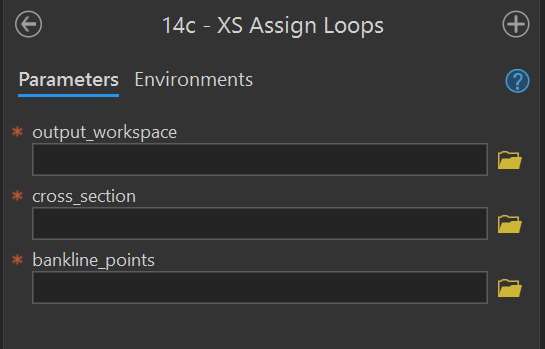
Purpose - This tool assigns loops and bends to input cross section feature class using the input bankline_points using these instructions in the user manual.
Code - This ArcGIS script tool calls the Python script FluvialGeomorph-toolbox/tools/_14c_XSAssignLoops.py.
Parameters - This tool contains the following parameters:
| Parameter | Type | Description | Required |
|---|---|---|---|
| output_workspace | Workspace | Path to the output workspace. | required |
| cross_section | Feature Class | Path to the cross section line feature class. | required |
| bankline_points | Feature Class | Path to the bankline_points feature class. |
required |
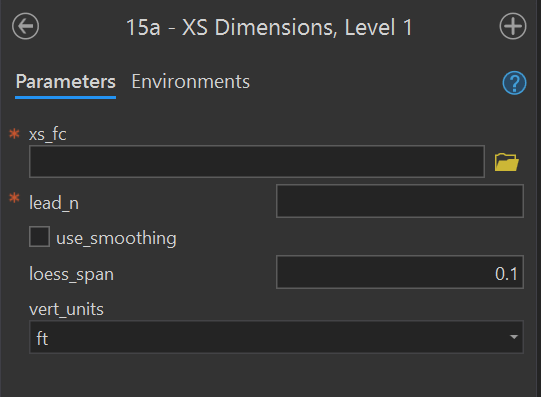
XS Dimensions, Level 1
purpose - This tool calculates Level 1 cross section dimensions for the input cross section feature class (i.e., regular cross sections) using these instructions from the user manual.
Code - This ArcGIS script tool calls the Python script FluvialGeomorph-toolbox/tools/_15a_XSDimensions.R which calls the R function fluvgeo::cross_section_dimensions_L1.
Parameters - This tool contains the following parameters:
| Parameter | Type | Description | Required |
|---|---|---|---|
| xs_fc | Feature Class | Path to a cross section feature class. | required |
| lead_n | long | The number of cross sections to lead (upstream) and lag (downstream) on either side of each cross section to calculate the slope and sinuosity. Must be an integer. | required |
| use_smoothing | Boolean | Determines if smoothed elevation values are used to calculate gradient and sinuosity (default is FALSE). | required |
| loess_span | double | The loess regression span parameter (defaults to 0.05). | required |
| vert_units | string | The DEM vertical units. One of: “m” (meter), “ft” (foot), “us-ft” (us survey foot). | required |
XS Dimensions, Level 2
Purpose - This tool calculates Level 3 cross section dimensions for the input cross section feature class (i.e., regular cross sections, riffle cross sections) using these instructions from the user manual.
Code - This ArcGIS script tool calls the Python script FluvialGeomorph-toolbox/tools/_15b_XSDimensions.R
Parameters - This tool contains the following parameters:
| Parameter | Type | Description | Required |
|---|---|---|---|
| xs_fc | Feature Class | Path to a cross section feature class. | required |
| xs_points_fc | Feature Class | The path to an cross section points feature class. | required |
| bankfull_elevation | double | The bankfull elevation (in detrended feet) that is used to calculate hydraulic geometry. | required |
| lead_n | long | The number of cross sections to lead (upstream) and lag (downstream) on either side of each cross section to calculate the slope and sinuosity. Must be an integer. | required |
| use_smoothing | Boolean | Determines if smoothed elevation values are used to calculate gradient and sinuosity (default is FALSE). | required |
| loess_span | double | The loess regression span parameter (defaults to 0.05). | required |
| vert_units | string | The DEM vertical units. One of: “m” (meter), “ft” (foot), “us-ft” (us survey foot). | required |
| discharge_method | string | The method for calculating discharge (Q). Must be one of: “model_measure”, “regional_curve”, “width_relationship”. | required |
| discharge_value | double | The discharge value (single value or vector) to use for the stream power calculation. Required if discharge_method = “model_measure”. | optional |
| region | string | The regional curve name used to calculate discharge. Required if discharge_method = “regional_curve”. This parameter is passed to the RegionalCurve::RHG function. See the RegionalCurve package for a list of regions with discharge relationships. | optional |
| drainage_area | double | The drainage area (single value or vector) used by the RegionalCurve::RHG function to calculate discharge. Required if discharge_method = “regional_curve”. | optional |
| width_method | string | The name of the width relationship used to calculate discharge (Q) from width. Required if discharge_method = “width_relationship”. Must be one of:
|
optional |

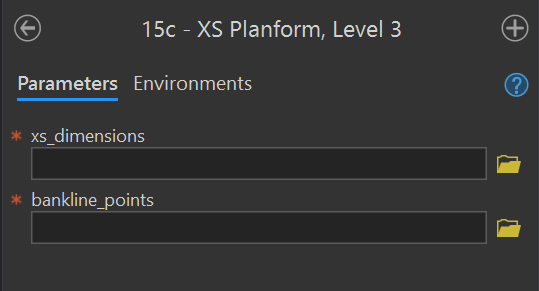
XS Planform, Level 3
Purpose - This tool calculates Level 3 cross section dimensions for the input cross section feature class (i.e., regular cross sections, riffle cross sections) using these instructions from the user manual.
Code - This ArcGIS script tool calls the Python script FluvialGeomorph/FluvialGeomorph-toolbox/tools/_15c_XSPlanform.R which calls the R functions fluvgeo::planform_dimensions to calculate the planform dimensions and fluvgeo::xs_metric_ratios to calculate the metric ratios.
Parameters - This tool contains the following parameters:
| Parameter | Type | Description | Required |
|---|---|---|---|
| xs_dimensions | Feature Class | Path to a Level 2 cross section dimension line feature class. | required |
| bankline_points | Feature Class | Path to an bankline_points point feature class. |
required |
Graphs toolset
The purpose of this toolset is to hold the tools that produce the FluvialGeomorph reports.
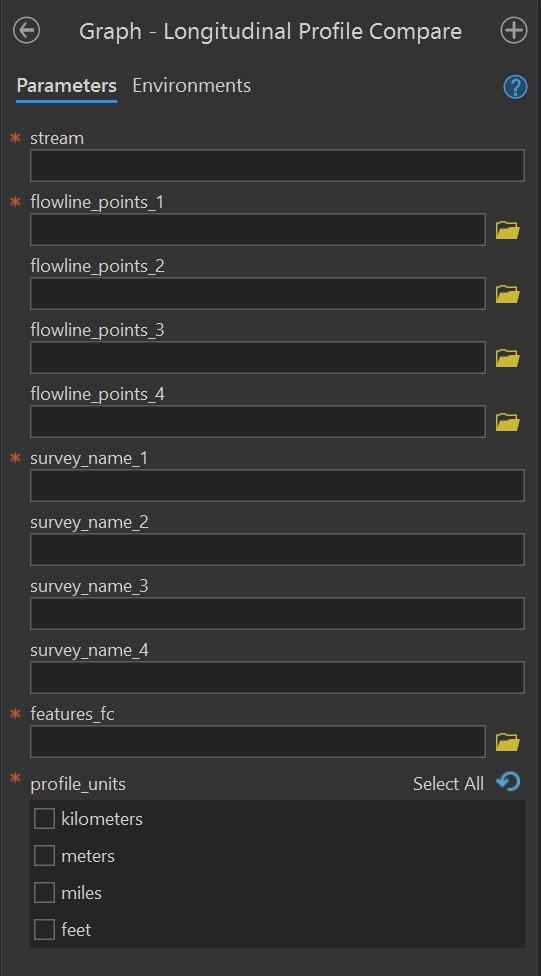
Graph - Longitudinal Profile Compare
Purpose - This tool produces the longitudinal profile plot from the flowline_points feature classes of a stream reach taken from one or more surveys. This tool compares longitudinal profile plots from multiple surveys. It labels the plot using the features feature class along the x-axis.
Code - This ArcGIS script tool calls the R script FluvialGeomorph-toolbox\report\_Longitudinal_Profile_Compare.R which calls the R function fluvgeo::compare_long_profile.
Parameters - This tool contains the following parameters:
| Parameter | Type | Description | Required |
|---|---|---|---|
| stream | string | The name of the stream reach. | required |
| flowline_points_1 | Feature Class | Path to the flowline points feature class of the first survey. |
required |
| flowline_points_2 | Feature Class | Path to the flowline points feature class of the second survey. |
optional |
| flowline_points_3 | Feature Class | Path to the flowline points feature class of the third survey. |
optional |
| flowline_points_4 | Feature Class | Path to the flowline points feature class of the fourth survey. |
optional |
| survey_name_1 | string | The label to use for the first survey. | required |
| survey_name_2 | string | The label to use for the second survey. | optional |
| survey_name_3 | string | The label to use for the third survey. | optional |
| survey_name_4 | string | The label to use for the fourth survey. | optional |
| features_fc | Feature Class | A stream reach features feature class. |
required |
| profile_units | string | The units of the longitudinal profile. | required |
Graph - XS Longitudinal Profile Compare
Tool in progress.
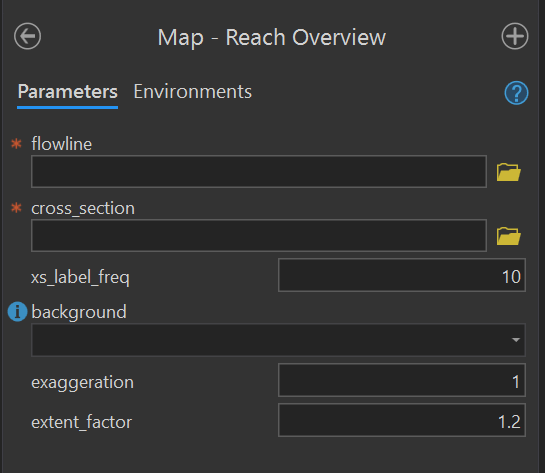
Map - Reach Overview
Purpose - This tool produces a reach overview map figure from a flowline and a regular cross section or a riffle cross section feature class.
Code - This ArcGIS script tool calls the R script FluvialGeomorph-toolbox/report/_Reach_Overview_Map.R which calls the R function fluvgeo::map_reach_overview.
Parameters - This tool contains the following parameters:
| Parameter | Type | Description | Required |
|---|---|---|---|
| flowline | Feature Class | Path to the flowline feature class. |
required |
| cross_section | Feature Class | Path to a cross section feature class. | required |
| xs_label_freq | double | An integer indicating the frequency of cross section labels. | required |
| background | string | The type of map background. One of “aerial” or “elevation”. | required |
| exaggeration | double | The degree of terrain exaggeration. | required |
| extent_factor | double | The amount the extent is expanded around the cross section feature class. Values greater than one zoom out, values less than one zoom in. | required |
Reports toolset
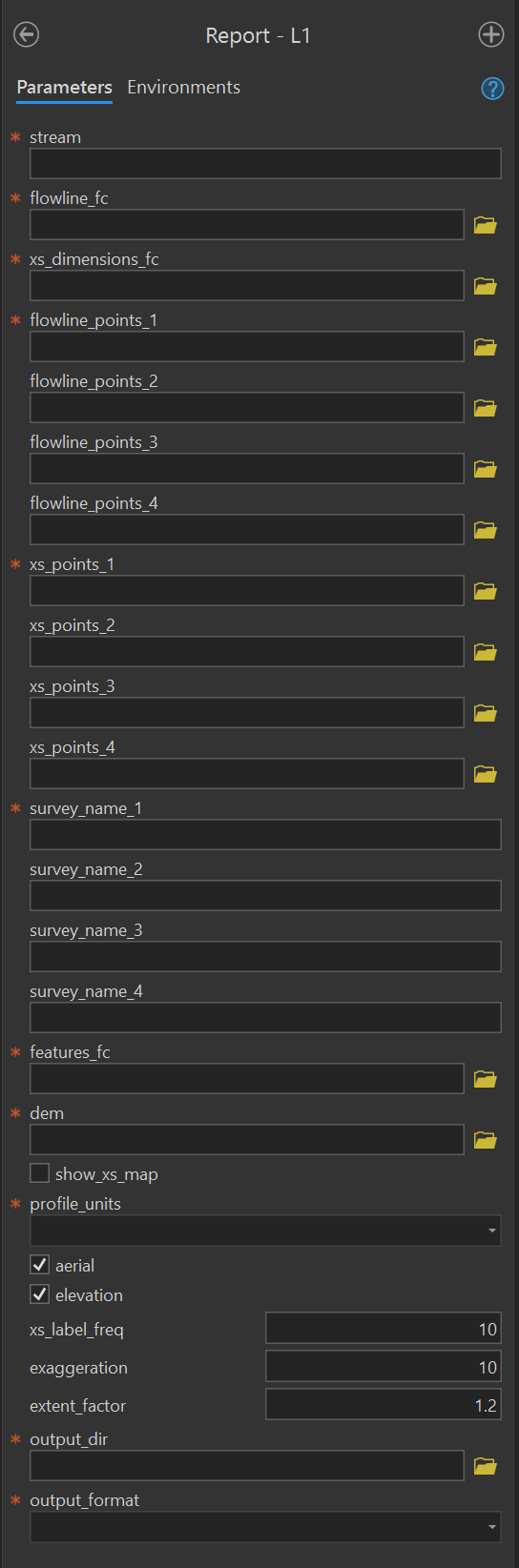
The purpose of this toolset is to hold the tools that produce the FluvialGeomorph reports. #### Report - L1 {#L1-report-tool} Purpose - This tool produces the Level 1 Report using these instructions from the user manual.
Code - This ArcGIS script tool calls the R script FluvialGeomorph-toolbox/report/_Level_1_Report.R which calls the R function fluvgeo::level_1_report.
Parameters - This tool contains the following parameters:
| Parameter | Type | Description | Required |
|---|---|---|---|
| stream | string | The name of the stream reach. | required |
| flowline_fc | Feature Class | Path to the flowline feature class. |
required |
| xs_dimensions_fc | Feature Class | The path to a Level 1 cross section dimensions feature class. | required |
| flowline_points_1 | Feature Class | Path to the flowline points feature class of the first survey. |
required |
| flowline_points_2 | Feature Class | Path to the flowline points feature class of the second survey. |
optional |
| flowline_points_3 | Feature Class | Path to the flowline points feature class of the third survey. |
optional |
| flowline_points_4 | Feature Class | Path to the flowline points feature class of the fourth survey. |
optional |
| xs_points_1 | Feature Class | The path to a cross section points feature class for the first time period. | required |
| xs_points_2 | Feature Class | The path to a cross section points feature class for the second time period. | optional |
| xs_points_3 | Feature Class | The path to a cross section points feature class for the third time period. | optional |
| xs_points_4 | Feature Class | The path to a cross section points feature class for the fourth time period. | optional |
| survey_name_1 | string | The label to use for the first survey. | required |
| survey_name_2 | string | The label to use for the second survey. | optional |
| survey_name_3 | string | The label to use for the third survey. | optional |
| survey_name_4 | string | The label to use for the fourth survey. | optional |
| features_fc | Feature Class | A stream reach features feature class. |
required |
| dem | Raster Dataset | Path to the digital elevation model (DEM). | required |
| show_xs_map | boolean | Add the cross section maps to the report? | required |
| profile_units | string | The units of the longitudinal profile. | required |
| aerial | boolean | Display an overview map with an aerial photo background? | required |
| elevation | boolean | Display an overview map with an elevation background? | required |
| xs_label_freq | double | An integer indicating the frequency of cross section labels. | required |
| exaggeration | double | The degree of terrain exaggeration. | required |
| extent_factor | double | The amount the extent is expanded around the cross section feature class. Values greater than one zoom out, values less than one zoom in. | required |
| output_dir | Folder | The path to the folder in which to write the report. | required |
| output_format | string | The file format of the report. One of “html_document”, “word_document”, “pdf_document”. | required |
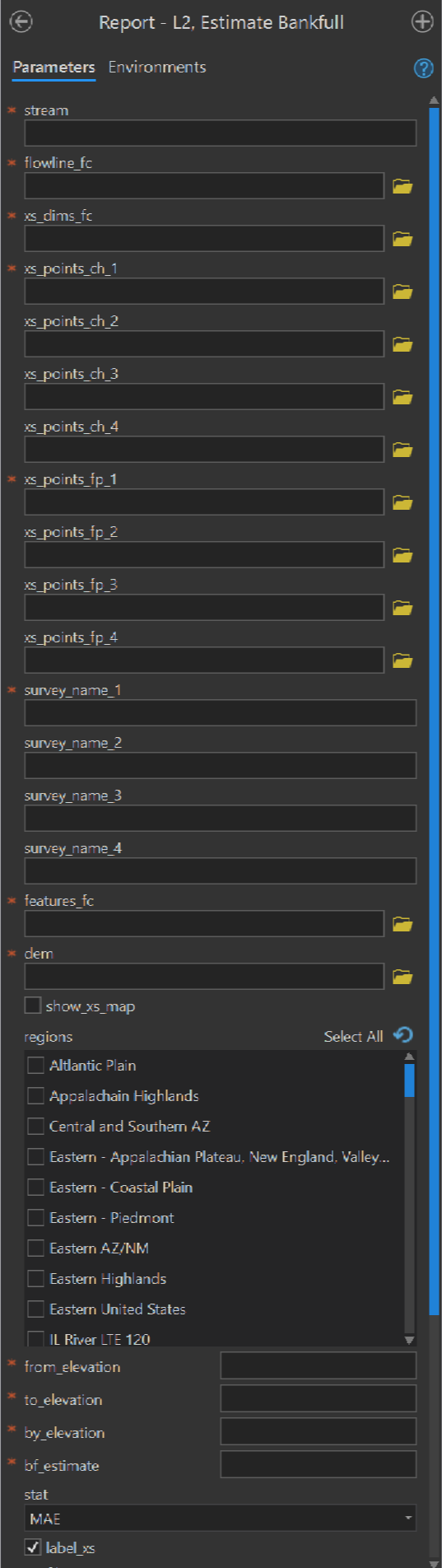
Report - L2 Estimate Bankfull
Purpose - This tool produces the Estimate Bankfull Report using these instructions from the user manual.
Code - This ArcGIS script tool calls the R script FluvialGeomorph-toolbox/report/_Estimate_Bankfull.R.
Parameters - This tool contains the following parameters:
| Parameter | Type | Description | Required |
|---|---|---|---|
| stream | string | The name of the stream reach. | required |
| flowline_fc | Feature Class | Path to the flowline feature class. |
required |
| xs_dims_fc | Feature Class | The path to a riffle_channel_dims_L2 feature class. |
required |
| xs_points_ch_1 | Feature Class | The path to the riffle_channel_points feature class for the first time period. |
required |
| xs_points_ch_2 | Feature Class | The path to the riffle_channel_points feature class for the second time period. |
optional |
| xs_points_ch_3 | Feature Class | The path to the riffle_channel_points feature class for the third time period. |
optional |
| xs_points_ch_4 | Feature Class | The path to the riffle_channel_points feature class for the fourth time period. |
optional |
| xs_points_fp_1 | Feature Class | The path to the riffle_floodplain_points feature class for the first time period. |
required |
| xs_points_fp_2 | Feature Class | The path to the riffle_floodplain_points feature class for the second time period. |
optional |
| xs_points_fp_3 | Feature Class | The path to the riffle_floodplain_points feature class for the third time period. |
optional |
| xs_points_fp_4 | Feature Class | The path to the riffle_floodplain_points feature class for the fourth time period. |
optional |
| survey_name_1 | string | The label to use for the first survey. | required |
| survey_name_2 | string | The label to use for the second survey. | optional |
| survey_name_3 | string | The label to use for the third survey. | optional |
| survey_name_4 | string | The label to use for the fourth survey. | optional |
| features_fc | Feature Class | A stream reach features feature class. |
required |
| dem | Raster Dataset | Path to the digital elevation model (DEM). | required |
| show_xs_map | boolean | Add the cross section maps to the report? | required |
| regions | string value list | The regions that a dimension will be | required |
| from_elevation | double | The detrended elevation (in feet) to begin calculating Goodness of Fit (GOF) measures. | required |
| to_elevation | double | The detrended elevation (in feet) to end calculating Goodness of Fit (GOF) measures. | required |
| by_elevation | double | The detrended elevation (in feet) to step by for calculating Goodness of Fit (GOF) measures. | required |
| bf_estimate | double | The detrended bankfull elevation (in feet) that is used to calculate hydraulic geometry. | required |
| stat | string | The statistic to graph “RMSE”, “MAE” (the default). | required |
| label_xs | Boolean | Label cross sections? | required |
| profile_units | string | The units of the longitudinal profile. | required |
| aerial | boolean | Display an overview map with an aerial photo background? | required |
| elevation | boolean | Display an overview map with an elevation background? | required |
| xs_label_freq | double | An integer indicating the frequency of cross section labels. | required |
| exaggeration | double | The degree of terrain exaggeration. | required |
| extent_factor | double | The amount the extent is expanded around the cross section feature class. Values greater than one zoom out, values less than one zoom in. | required |
| output_dir | Folder | The path to the folder in which to write the report. | required |
| output_format | string | The file format of the report. One of “html_document”, “word_document”, “pdf_document”. | required |
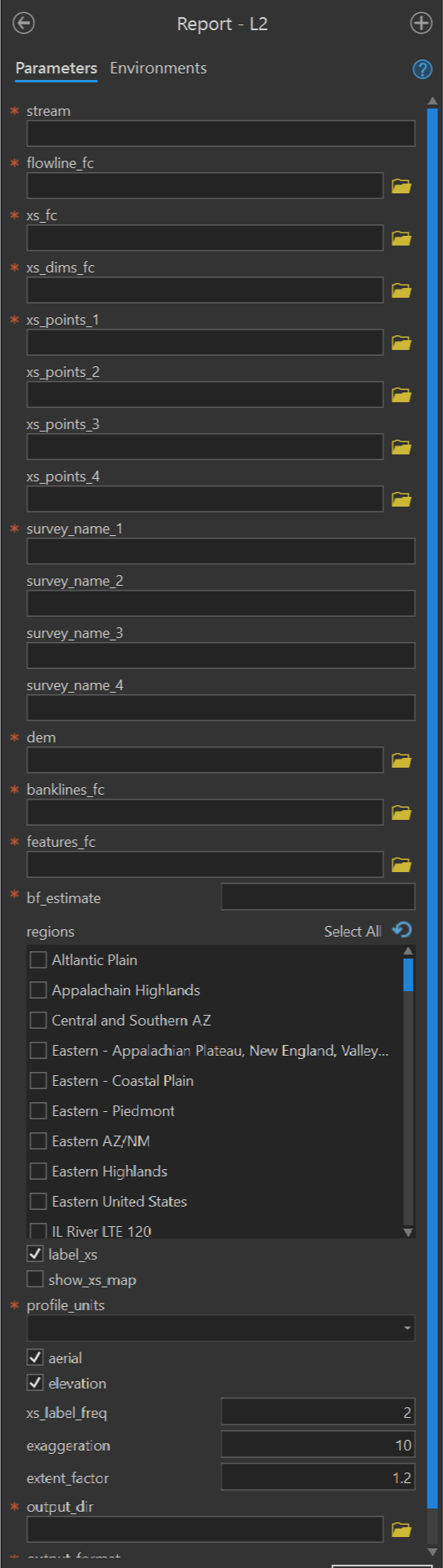
Report - L2
Purpose - This tool produces the Level 2 Report using these instructions from the user manual.
Code - This ArcGIS script tool calls the R script FluvialGeomorph-toolbox/report/_Level_2_Report.R which calls the R function fluvgeo::level_2_report.
Parameters - This tool contains the following parameters:
| Parameter | Type | Description | Required |
|---|---|---|---|
| stream | string | The name of the stream reach. | required |
| flowline_fc | Feature Class | Path to the flowline feature class. |
required |
| xs_dims_fc | Feature Class | The path to a riffle_channel_dims_L2 feature class. |
required |
| xs_points_1 | Feature Class | The path to a cross section points feature class for the first time period. | required |
| xs_points_2 | Feature Class | The path to a cross section points feature class for the second time period. | optional |
| xs_points_3 | Feature Class | The path to a cross section points feature class for the third time period. | optional |
| xs_points_4 | Feature Class | The path to a cross section points feature class for the fourth time period. | optional |
| survey_name_1 | string | The label to use for the first survey. | required |
| survey_name_2 | string | The label to use for the second survey. | optional |
| survey_name_3 | string | The label to use for the third survey. | optional |
| survey_name_4 | string | The label to use for the fourth survey. | optional |
| dem | Raster Dataset | Path to the digital elevation model (DEM). | required |
| banklines_fc | Feature Class | The path to the banklines feature class. | required |
| features_fc | Feature Class | A stream reach features feature class. |
required |
| bf_estimate | double | The detrended bankfull elevation (in feet) that is used to calculate hydraulic geometry. | required |
| regions | string value list | The regions that a dimension will be | required |
| label_xs | Boolean | Label cross sections? | required |
| show_xs_map | boolean | Add the cross section maps to the report? | required |
| profile_units | string | The units of the longitudinal profile. | required |
| aerial | boolean | Display an overview map with an aerial photo background? | required |
| elevation | boolean | Display an overview map with an elevation background? | required |
| xs_label_freq | double | An integer indicating the frequency of cross section labels. | required |
| exaggeration | double | The degree of terrain exaggeration. | required |
| extent_factor | double | The amount the extent is expanded around the cross section feature class. Values greater than one zoom out, values less than one zoom in. | required |
| output_dir | Folder | The path to the folder in which to write the report. | required |
| output_format | string | The file format of the report. One of “html_document”, “word_document”, “pdf_document”. | required |
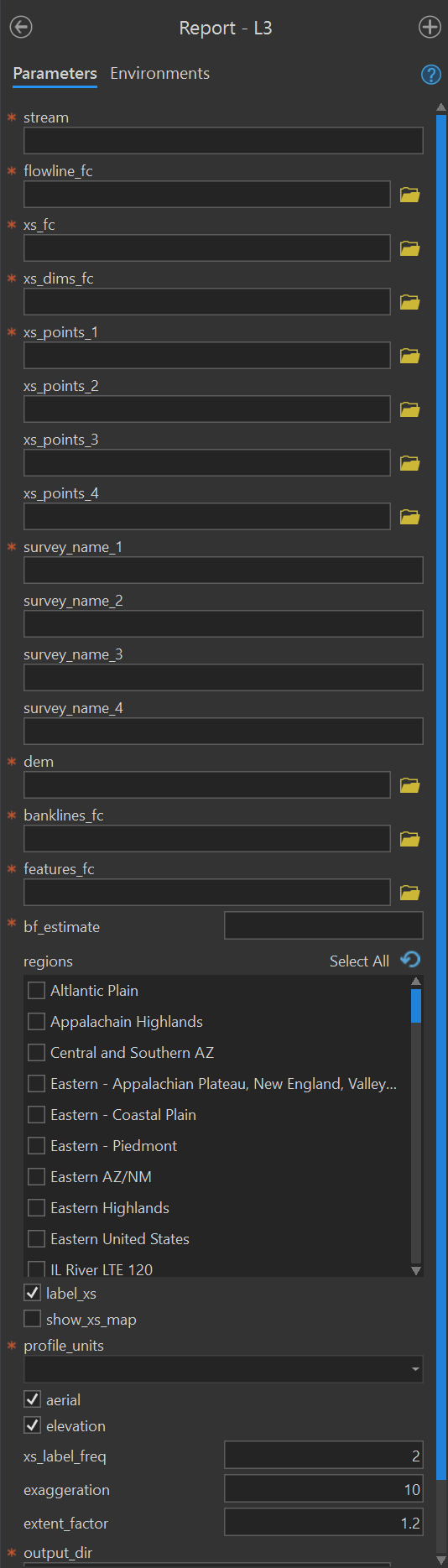
Report - L3
Purpose - This tool produces the Level 3 Report using these instructions in the user manual.
Code - This ArcGIS script tool calls the R script FluvialGeomorph-toolbox/report/_Level_3_Report.R which called the R function fluvgeo::level_3_report.
Parameters - This tool contains the following parameters:
| Parameter | Type | Description | Required |
|---|---|---|---|
| stream | string | The name of the stream reach. | required |
| flowline_fc | Feature Class | Path to the flowline feature class. |
required |
| xs_fc | Feature Class | Path to a cross section feature class. | required |
| xs_points_1 | Feature Class | The path to a cross section points feature class for the first time period. | required |
| xs_points_2 | Feature Class | The path to a cross section points feature class for the second time period. | optional |
| xs_points_3 | Feature Class | The path to a cross section points feature class for the third time period. | optional |
| xs_points_4 | Feature Class | The path to a cross section points feature class for the fourth time period. | optional |
| survey_name_1 | string | The label to use for the first survey. | required |
| survey_name_2 | string | The label to use for the second survey. | optional |
| survey_name_3 | string | The label to use for the third survey. | optional |
| survey_name_4 | string | The label to use for the fourth survey. | optional |
| dem | Raster Dataset | Path to the digital elevation model (DEM). | required |
| banklines_fc | Feature Class | The path to the banklines feature class. | required |
| features_fc | Feature Class | A stream reach features feature class. |
required |
| bf_estimate | double | The detrended bankfull elevation (in feet) that is used to calculate hydraulic geometry. | required |
| regions | string value list | The regions that a dimension will be | required |
| label_xs | Boolean | Label cross sections? | required |
| show_xs_map | boolean | Add the cross section maps to the report? | required |
| profile_units | string | The units of the longitudinal profile. | required |
| aerial | boolean | Display an overview map with an aerial photo background? | required |
| elevation | boolean | Display an overview map with an elevation background? | required |
| xs_label_freq | double | An integer indicating the frequency of cross section labels. | required |
| exaggeration | double | The degree of terrain exaggeration. | required |
| extent_factor | double | The amount the extent is expanded around the cross section feature class. Values greater than one zoom out, values less than one zoom in. | required |
| output_dir | Folder | The path to the folder in which to write the report. | required |
| output_format | string | The file format of the report. One of “html_document”, “word_document”, “pdf_document”. | required |
Symbology toolset
The purpose of this toolset is to hold the tools that standardize the symbolization of FluvialGeomorph datasets. Given the complexity of the datasets involved in this analysis, consistent symbolization improves interpretation and speeds analysis.
Banklines
Applies standard FluvialGeomorph symbology to the banklines feature class.
Contibuting Area
Applies standard FluvialGeomorph symbology to the contributing_area feature class.
Cross Section
Applies standard FluvialGeomorph symbology to the cross section feature classes (i.e., regular cross sections, riffle_floodplain and riffle_channel, and cross section dimensions).
DEM
Applies standard FluvialGeomorph symbology to the dem_hydro raster.
Features
Applies standard FluvialGeomorph symbology to the features feature class.
Flowline
Applies standard FluvialGeomorph symbology to the flowline feature class.
Flowline Points
Applies standard FluvialGeomorph symbology to the flowline_points feature class.
Loop Points
Applies standard FluvialGeomorph symbology to the loop_points feature class.
Valleyline
Applies standard FluvialGeomorph symbology to the valleyline feature class.
Check toolset
The purpose of this toolset is to hold the tools used to check FluvialGeomorph features for some common, preventable errors.
Check Banklines
This ArcGIS script tool checks the banklines feature class using the R function fluvgeo::check_banklines.
Check Bankline Points
This ArcGIS script tool checks the bankline_points feature class using the R function fluvgeo::check_bankline_points.
Check Cross Section
This ArcGIS script tool checks the cross section feature classes (i.e., regular cross sections, riffle_floodplain and riffle_channel, and cross section dimensions) using the R function fluvgeo::check_cross_section.
Check Cross Section Points
This ArcGIS script tool checks the cross section points, *_points feature class using the R function fluvgeo::check_cross_section_points.
Check Features
This ArcGIS script tool checks the features feature class using the R function fluvgeo::check_cross_section_points.
Check Flowline
This ArcGIS script tool checks the flowline feature class using the R function fluvgeo::check_flowline.
Check Flowline Points
This ArcGIS script tool checks the flowline_points feature class using the R function fluvgeo::check_flowline_points.
Check Loop Points
This ArcGIS script tool checks the loop_points feature class using the R function fluvgeo::check_loop_points.
Check Valleyline
This ArcGIS script tool checks the valleyline feature class using the R function fluvgeo::check_valleyline.
Export toolset
The purpose of this toolset is to export the tabular data from geospatial datasets for further analysis.
Level 1
This ArcGIS script tool exports the tabular data from these Level 1 feature classes: flowline_points, regular cross sections, cross section points, and features.
Level 2
Level 3
Export toolset
The purpose of this toolset is to export the tabular data from geospatial datasets for further analysis.